Reset user passwords
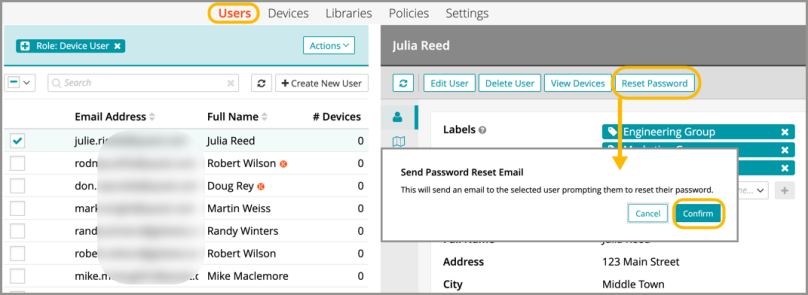
Administrators can send a password reset email to one or more users from the admin portal.
- From the Users tab in top navigation, select a user account.
- Under the General tab in the right-hand panel, click Reset Password.
- Click Confirm.
For information on creating, editing, and setting passcode defaults, see Managing passcode rules.